

Download Kite Player – Free Internet TV App for Windows, Mac, Android & iOS
Looking for a simple, reliable way to watch online TV for free? Kite Player is a lightweight, user-friendly Internet TV app that lets you stream hundreds of live channels from around the world. Whether you're into news, sports, entertainment, or educational content, Kite Player organizes channels by category, making it easy to find what you want.
Available for Windows, Mac, Android, and iOS, this free streaming tool delivers a smooth viewing experience with minimal system load. Ideal for casual viewers who value simplicity and speed, Kite Player stands out for its clean interface and fast performance. No complicated setup, no clutter—just instant access to global TV content.
Why Kite Player Stands Out Among Free Internet TV Apps
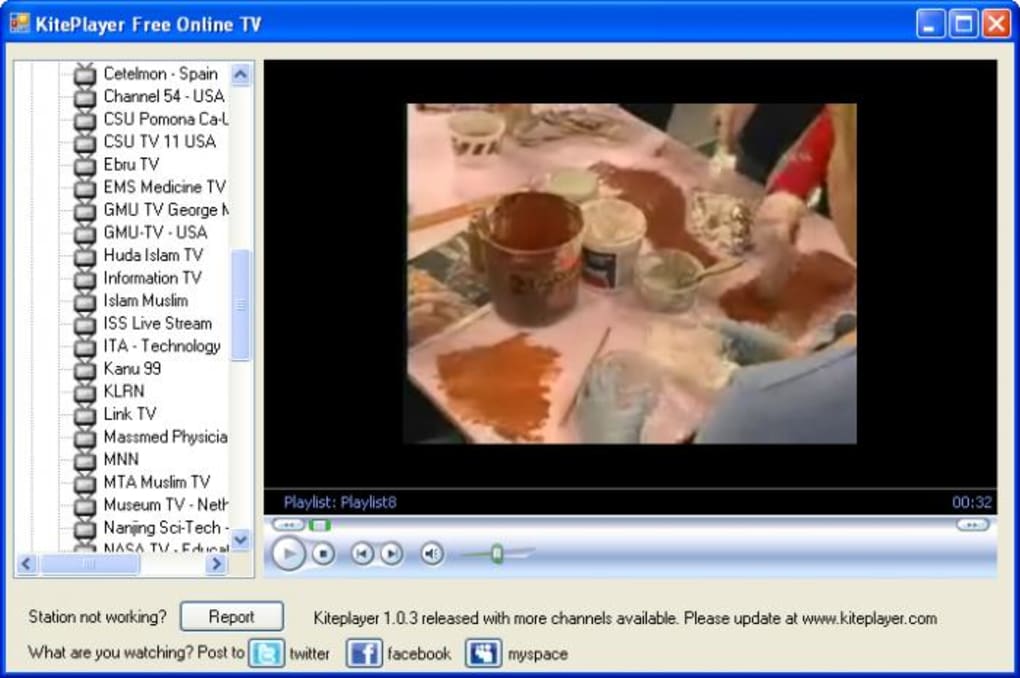
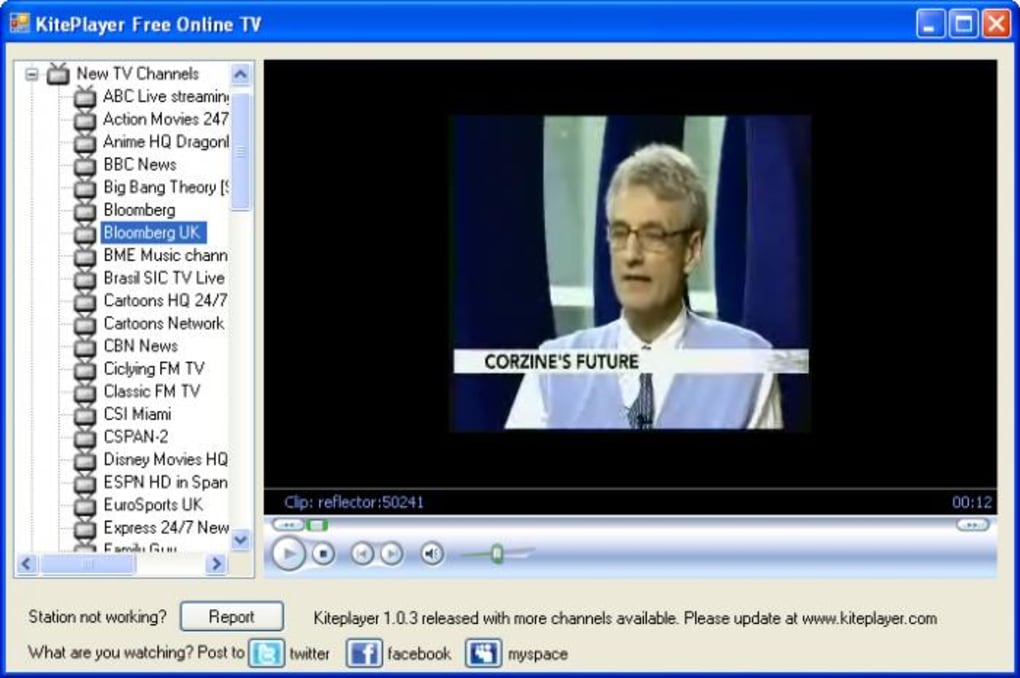
Kite Player distinguishes itself in a crowded market of online TV tools by focusing on core functionality: delivering live streams without distractions. Unlike many competitors that come packed with ads, pop-ups, or unnecessary features, Kite Player keeps things minimal. The interface is clean, intuitive, and designed for quick navigation. You can browse channels by category—such as news, sports, movies, entertainment, and educational—or use the search function to find specific channels. This smart categorization helps users discover content faster, especially when exploring international channels from regions like Europe, Asia, Africa, and Latin America.
One of the key strengths of Kite Player is its performance. The app is lightweight, consuming minimal CPU and RAM, which makes it perfect for older devices or systems with limited resources. It supports a wide range of video formats, including M3U, HLS, and RTMP, ensuring compatibility with most streaming sources.
The app also offers stable playback with low buffering, even on slower internet connections. Another notable feature is the ability to add custom playlists, allowing users to save their favorite channels for one-click access. While it doesn’t include advanced features like recording or playlist creation from scratch, the core streaming experience is smooth and reliable.
For users who prioritize security and privacy, Kite Player doesn’t collect personal data or display intrusive ads. It’s a standalone application that runs locally, reducing the risk of malware or data breaches. The developers have maintained a transparent approach, with regular updates to fix bugs and improve compatibility. This commitment to stability and user trust makes Kite Player a trustworthy choice for anyone seeking a no-nonsense way to enjoy free online TV.
How to Install and Use Kite Player on Your Device
Installing Kite Player is quick and straightforward across all supported platforms. For Windows users, visit the official website and download the .exe installer. Run the file, follow the on-screen prompts, and the app will be ready to launch in seconds.
No admin rights are required, and the installation process takes less than a minute. On Mac, download the .dmg file, drag the app into your Applications folder, and open it. The app will run without needing to be installed in the traditional sense—ideal for users who prefer portable software.
For Android users, head to the Google Play Store and search for "Kite Player." Download and install the app directly from the official developer. On iOS, the app is available on the Apple App Store. After installation, launch the app and allow necessary permissions, such as access to your network and media files. The first-time setup is automatic—you’ll be greeted with a clean interface and a list of pre-loaded channels.
Once open, you can start browsing by selecting a category or using the search bar. Tap on any channel to begin streaming. The app supports full-screen mode, volume control, and playback speed adjustments.
You can also bookmark favorite channels for easy access later. For advanced users, Kite Player allows importing custom M3U playlists via file or URL, which is perfect for adding niche or region-specific channels. Simply go to Settings > Import Playlist and enter the playlist link.
This feature adds flexibility without complicating the user experience.
Compatibility and System Requirements
Kite Player is designed to run smoothly on a wide range of devices and operating systems. It supports Windows 7 and later, including Windows 10 and Windows 11, making it accessible to most desktop and laptop users. For Mac users, the app is compatible with macOS 10.12 (Sierra) and newer versions, including Apple Silicon (M1/M2) Macs. This ensures optimal performance on both Intel and Apple’s latest processors.
On mobile, Kite Player is available for Android 6.0 (Marshmallow) and above, which covers over 95% of active Android devices. For iOS, the app requires iOS 12.0 or higher, ensuring compatibility with iPhone 6s and later models, as well as iPad Pro and iPad Air devices. This broad compatibility means users can enjoy live TV on their preferred device, whether at home, on the go, or in the office.
The app has minimal system requirements, which is one of its biggest advantages. On desktops, it uses less than 50 MB of RAM during playback and barely impacts CPU usage. On mobile devices, it runs efficiently even on budget smartphones with limited storage.
The app does not require a constant internet connection to run, but streaming content does depend on a stable connection. A minimum of 5 Mbps is recommended for HD quality, though SD streams work well on slower connections. Overall, Kite Player is optimized for performance and accessibility, making it a great choice for users across all tech skill levels.
Pros and Cons of Using Kite Player
- Pros:
- Free to download and use with no hidden fees
- Lightweight and fast, minimal impact on system resources
- Simple, clean interface ideal for beginners
- Supports multiple video formats and custom playlists
- Available on Windows, Mac, Android, and iOS
- Regular updates for bug fixes and security improvements
- No intrusive ads or data collection
- Cons:
- Limited content availability—some channels may be offline or region-locked
- No built-in recording or playlist creation tools
- Dependent on external streams, so quality varies by source
- No built-in search for specific channels beyond categories
- Occasional buffering on slower internet connections
Frequently Asked Questions (FAQ)
-
Is Kite Player safe to download and use?
Yes, Kite Player is safe. It’s distributed through official channels and does not contain malware or spyware. The app runs locally and doesn’t collect personal data, ensuring your privacy is protected.
-
Can I watch Kite Player on my smartphone?
Absolutely. Kite Player is available on both Android and iOS devices. Simply download it from the Google Play Store or Apple App Store for free.
-
Does Kite Player support custom channels?
Yes, you can import custom M3U playlists via URL or file. This allows you to add niche or region-specific channels not included in the default list.
-
Why do some channels not work?
The availability of channels depends on external streaming sources. Some links may be temporarily down, blocked by region, or removed by the provider. This is common across all free streaming apps.
-
Can I record live TV using Kite Player?
No, Kite Player does not have a built-in recording feature. If you need to save streams, you’ll need to use third-party screen recording software.
Final Verdict: Is Kite Player Worth Your Time?
If you're looking for a no-frills, reliable way to watch free online TV without the clutter, Kite Player is an excellent choice. It excels in simplicity, performance, and cross-platform availability. While it lacks advanced features like recording or playlist creation, its core function—streaming live TV—works flawlessly. The app is perfect for casual viewers who want to explore global content without investing time in setup or learning curves.
For users who value speed, security, and ease of use, Kite Player delivers a solid experience. Its lightweight design ensures smooth performance even on older devices, and its regular updates keep it secure and functional. Whether you're watching news from Europe, sports from Asia, or entertainment from Latin America, Kite Player provides instant access with minimal hassle.
Download Kite Player today and start exploring hundreds of free live channels—no registration, no ads, just pure streaming freedom. Get it now for Windows, Mac, Android, or iOS and enjoy global TV anytime, anywhere.







